


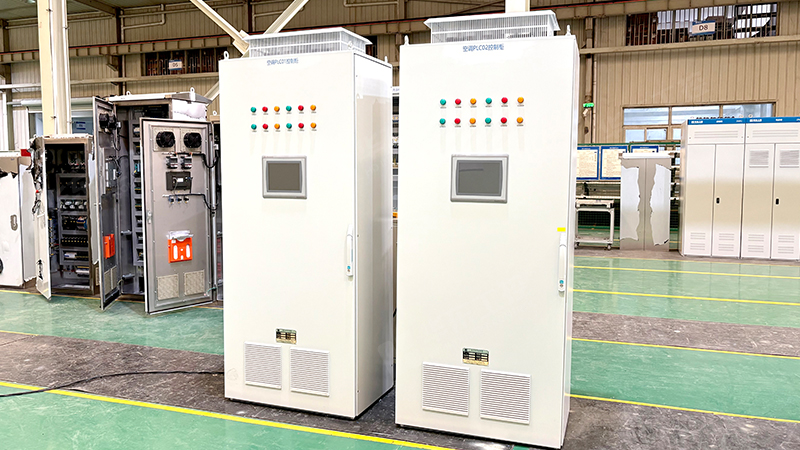
Choosing the right PLC control cabinet for your equipment can feel overwhelming. Do you need more I/O? A bigger enclosure? A specific communication protocol? At Huadong Industry Control, we help customers answer one simple question: “What PLC cabinet should my equipment have?” Here is a straightforward guide based on your machine and process.
Step 1: Count Your I/O Points
Start by listing every device that connects to the PLC:
Digital inputs – Push buttons, limit switches, proximity sensors, relay contacts
Digital outputs – Contactors, solenoid valves, indicator lights, small relays
Analog inputs – Temperature sensors (thermocouple/RTD), pressure transmitters, flow meters
Analog outputs – VFD speed reference, valve positioners, chart recorders
Rule of thumb – Choose a PLC with at least 15‑20% spare I/O capacity. Future expansion is much easier when space is already reserved.
Step 2: Determine Processing & Memory Needs
Simple machines with discrete logic (conveyors, packaging, basic sorting) need only a compact or nano PLC. Complex processes with PID loops, high‑speed counting, math functions, or data logging require a modular PLC with more memory and a faster CPU. If your equipment uses multiple axes of motion control, consider a PLC with built‑in positioning or a dedicated motion module.
Step 3: Match Communication Protocols
Your PLC cabinet must talk to other devices: HMIs, VFDs, remote I/O, or a plant SCADA system. Identify which protocols your existing equipment uses:
EtherNet/IP – Common with Allen‑Bradley / Rockwell
PROFINET – Siemens‑centric environment
Modbus TCP or RTU – Universal, works with many devices
EtherCAT – High‑speed motion control applications
PROFIBUS – Legacy installations
Our approach – We configure the PLC cabinet with the protocol you already use. No need to change your plant standard.
Step 4: Define Enclosure & Environmental Protection
Where will the cabinet be installed?
Control room / clean area – IP20 to IP42 (basic dust protection)
Factory floor, some dust/moisture – IP54 (recommended for most industrial equipment)
Wet, outdoor, or washdown – IP65, IP66, or stainless steel
Also consider ambient temperature. If the cabinet sits near a hot process or in direct sun, add cooling (fans, air conditioner, or heat exchanger). Cold storage areas may require internal heaters.

Step 5: Plan for Future Expansion
Your equipment may gain new functions later. Select a PLC that accepts additional I/O modules. Leave empty DIN rail and spare wire ducts in the cabinet. We typically reserve 20‑25% of the interior space for future needs. This small upfront cost saves a complete cabinet replacement later.
Step 6: Choose Power Supply & Protection
Calculate the total 24V DC load (PLC, I/O modules, sensors, relays, HMI). Select a power supply with at least 20% margin. Include a main circuit breaker, surge protection device, and individual overcurrent protection for each output group. Emergency stop and safety relay circuits must meet your machine safety category (e.g., ISO 13849 PLr).
We do not guess. We walk through these six steps with you, then produce a custom PLC control cabinet that fits your equipment exactly. From I/O selection and PLC brand to enclosure and wiring layout, we engineer a solution that works today and adapts tomorrow.


